
Home
Check today's work and completed jobs. Start from the work list or the floating Scan button near the bottom of the screen.
Find today's work
Check your work summary, then select an item from the list. When online, use these categories:
- Today's work: work assigned for today.
- Completed: work completed today. Checklist jobs open their results; environment and inventory jobs can accept more entries. Review existing environment and inventory records in History.
- No specific inspection cycle: work available without a fixed recurring cycle.
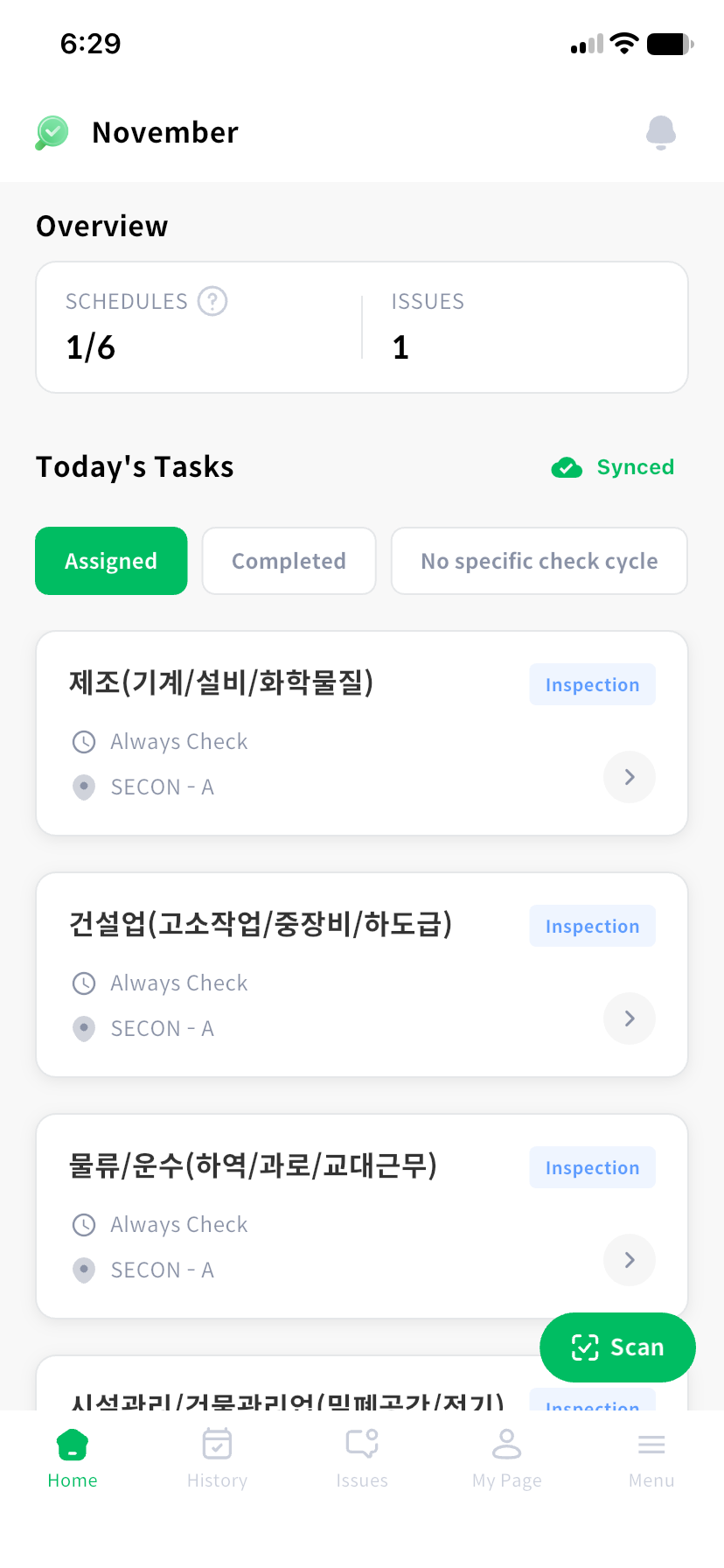
An inspection opens the input screen for its assigned method after facility NFC verification: checklist questions, environment readings or inventory movements/no-change checks. A task opens a checklist without facility NFC verification.
Completed checklist work cannot be resubmitted. Environment and inventory occurrences can accept more records after completion. For pending work, check transmission status first.
Scan at the facility
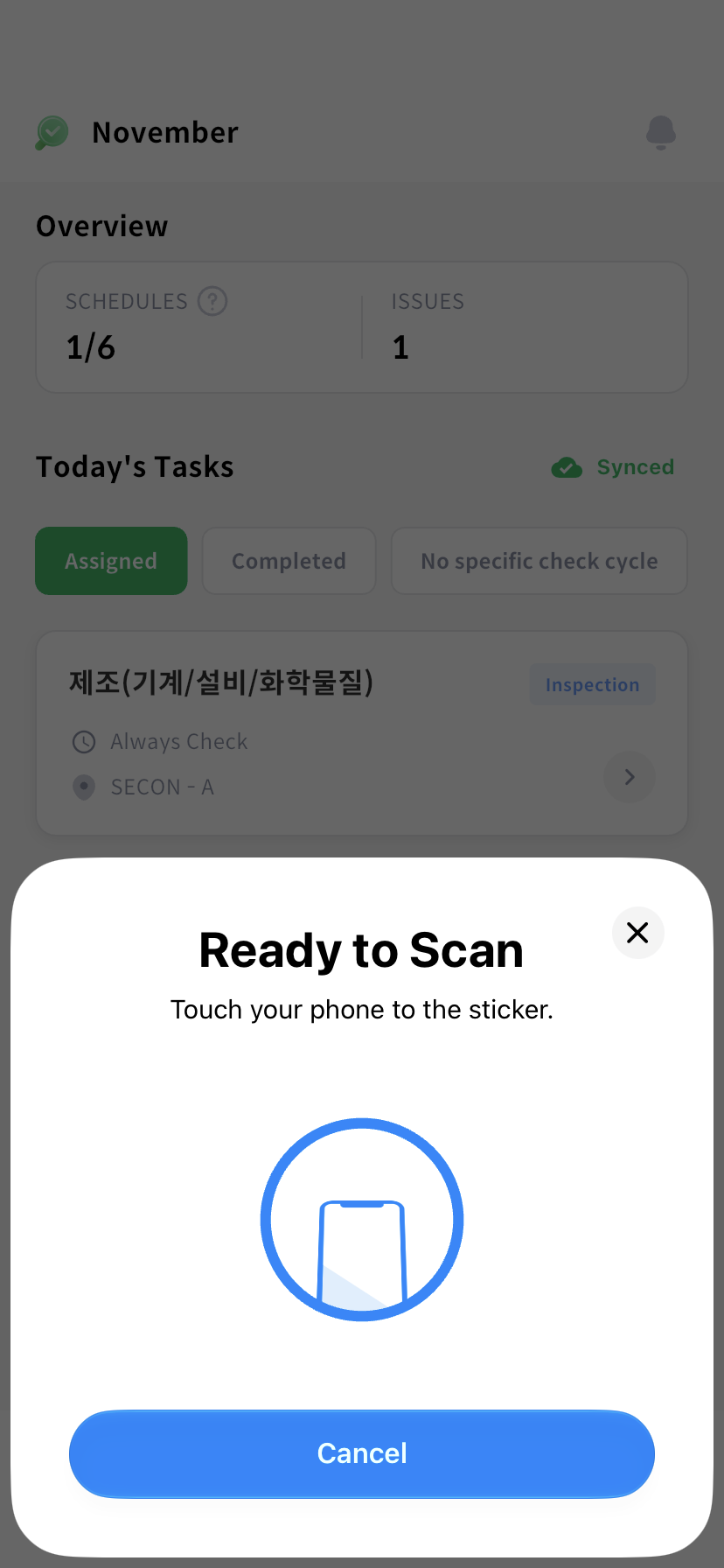
Select the floating Scan button and read the facility's NFC pad. Check the verified facility and its schedules, then select the work to perform. You can either choose work from Home or scan a facility first.
Open another menu
| Bottom menu | What you can do |
|---|---|
| Home | Check today's work and pending submissions |
| History | View submitted inspection and task results |
| Issues | Report problems and check resolutions and status |
| My Page | Check your details, help, and permissions |
| Menu | Open inspection facilities, offline work sync, and pending submissions |
Use the notification button at the top to read notifications and announcements. To save work in advance, use the sync button on Home or Menu > Offline Task Sync.
If a pending submission card appears, follow Offline work to check its transmission status.