
Inspection status
Review planned inspections and completion results. Open Inspection > Inspection Status in the left menu and choose Calendar or Daily matrix.
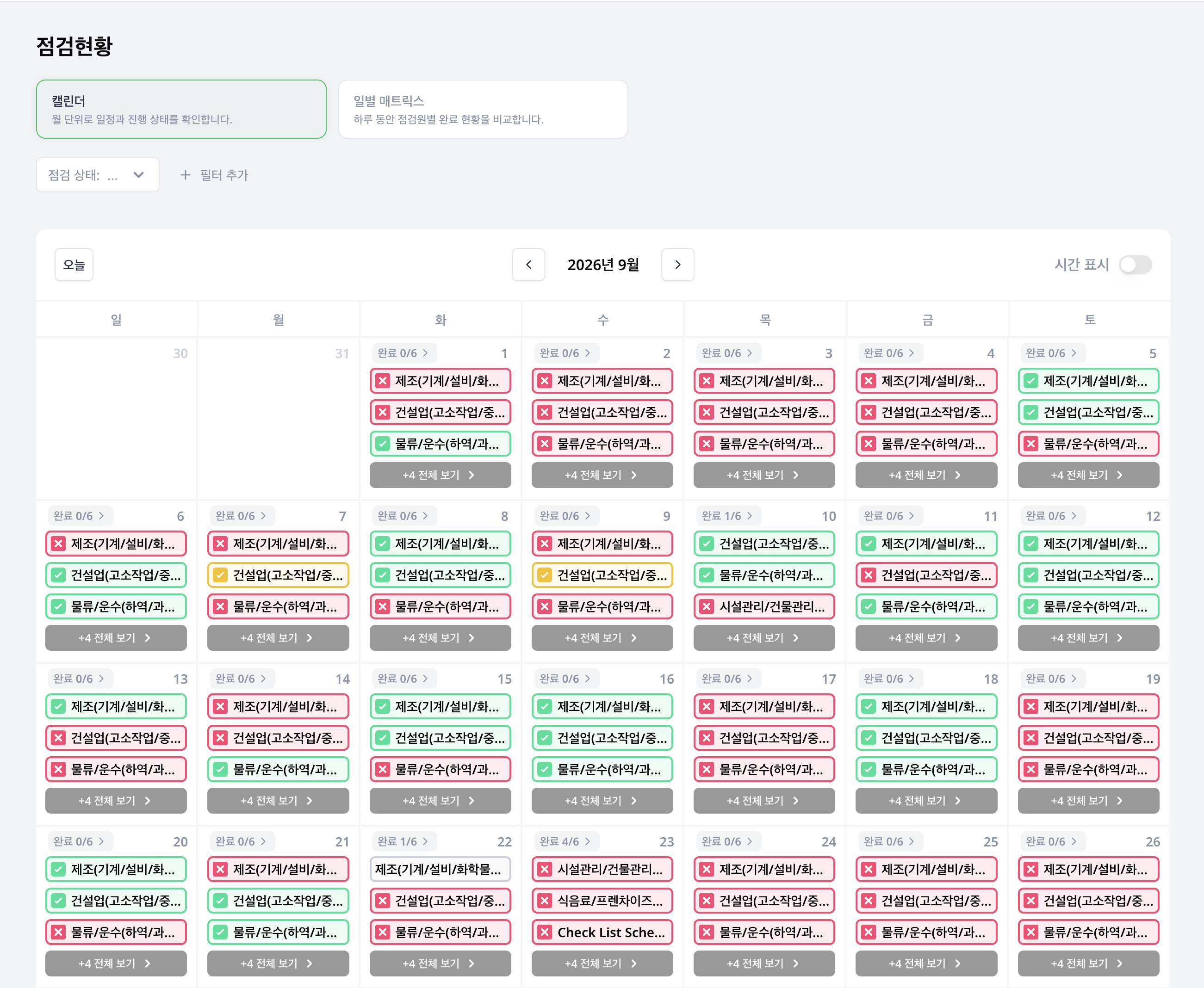
Review dates in the calendar
Move between months and review daily status. Combine status, facility, inspector and schedule filters to focus on the work you need.
| Status | What to check |
|---|---|
| Complete | Inspections completed normally |
| Time mismatch | Differences between completion time and the specified inspection time |
| Missed | Inspections not performed |
| Upcoming | Planned future inspections |
Upcoming previews depend on selected filters. Distinguish inspector-filtered results from previews of all planned work.
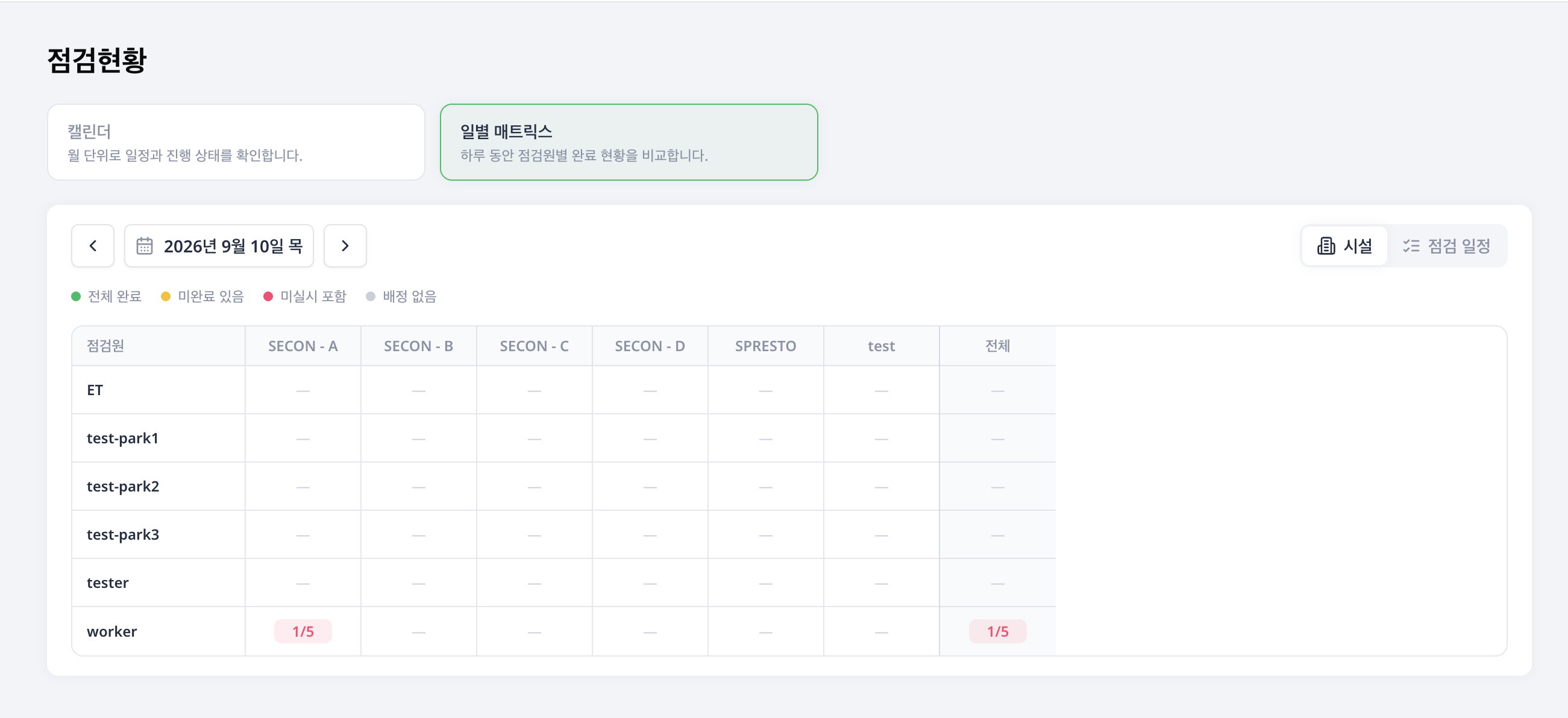
Compare workers in the daily matrix
Switch to Daily matrix and choose a date. Compare completion by inspector, facility and schedule, and review totals. Each cell shows completed / assigned counts. The facility view counts inspections only; the schedule view separates inspections and tasks. Select a cell to review its linked inspections. Calendar filters do not apply to the daily matrix.
Review a scheduled check
Select an inspection entry in the calendar to open that occurrence. Use the Detail, Workers and Check records tabs to review different parts of the work.
- Detail: Review the facility, inspection method, schedule and assignment information.
- Workers: Compare each assignee's completion or missed status and completion time, one person at a time.
- Check records: For checklist inspections, open submitted results to review answers and photos. For environment measurements, review items, readings, permitted ranges, authors and timestamps. For inventory work, review items, movement types, quantities, reasons and authors.
Check both the occurrence's completion status and its recorded entries. An environment or inventory occurrence completes when one inspector submits, and more records can be added afterward.
Continue to details
Select a date or inspection entry to inspect available details. Review submitted answers and photos in Inspection records. Change recurrence and assignments in Schedules.