
Repairs
Request repairs for a facility and review the assigned worker's results before confirming completion or requesting rework. Open the facility's Repairs tab.
Assign a repair
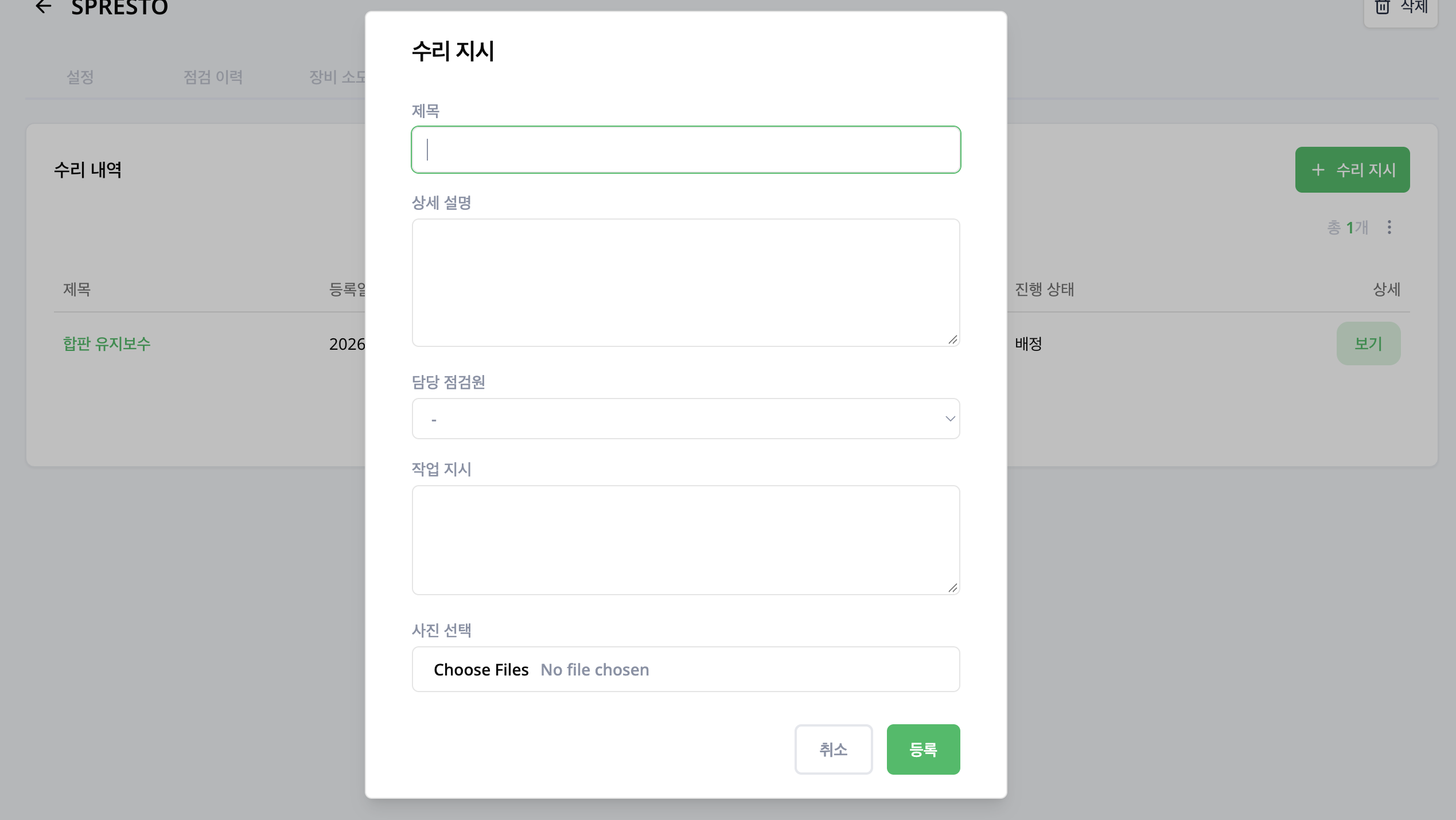
- Select Assign Repair.
- Enter the Title and Description.
- Choose the Assigned worker and enter Work instructions.
- Attach photos in Select photos if needed.
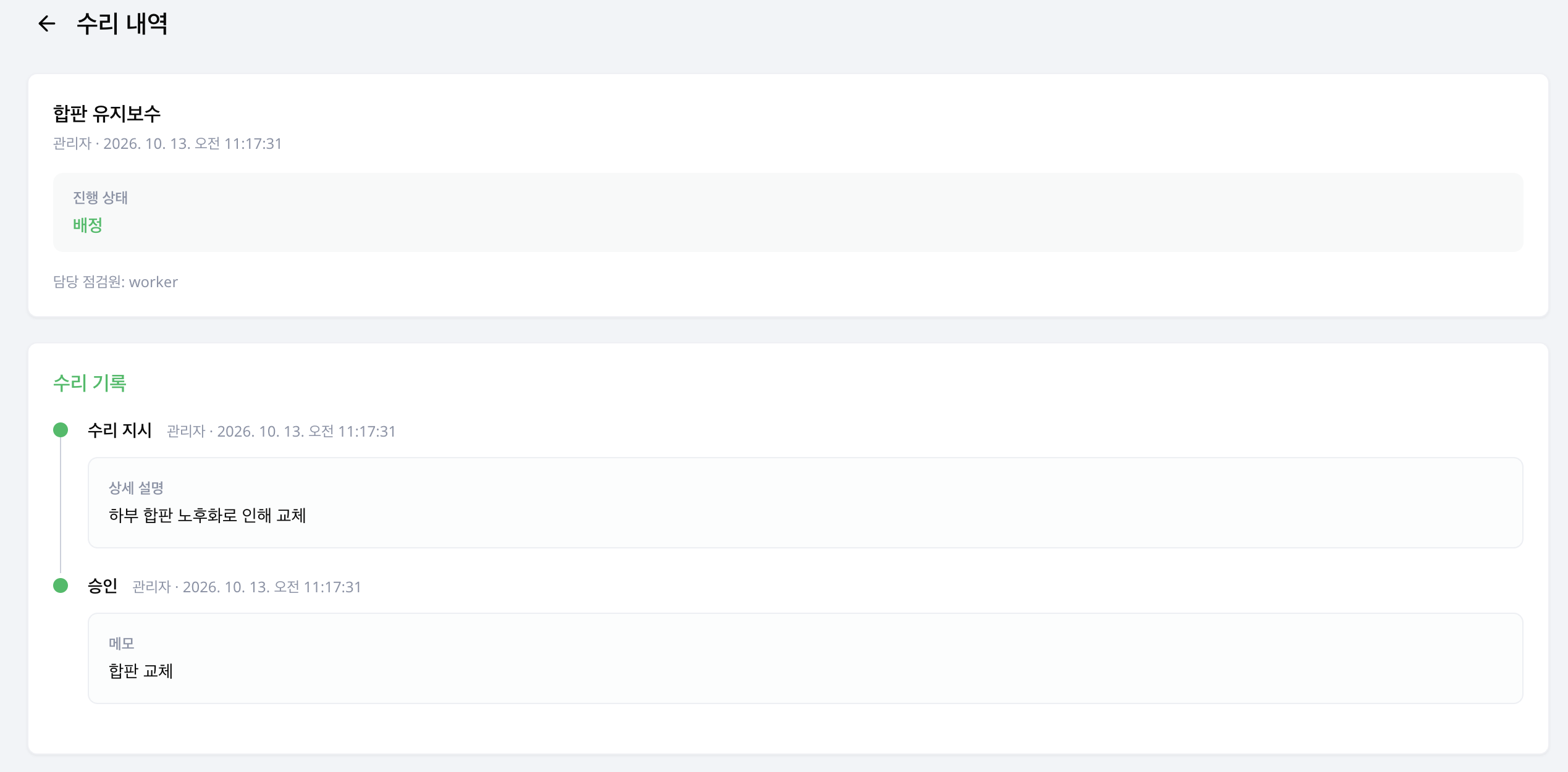
- Register it, then check the progress status and assigned worker in Repair history.
Requests created in Admin include worker assignment. New requests cannot be created for an inactive facility.
Review submitted proposals
For repairs proposed in the field, review the request and accept or reject it. Select a worker when approving a new job and add instructions. Rejection requires a reason.
Available decisions differ when work has already started. Follow the guidance in the request details.
Review completion
When results are pending review, check the work description, photos and progress history.
- Confirm completion and add a final note when work is finished.
- Choose rework and enter additional instructions when more work is needed. Rework instructions are required.
Repairs and issues
Use Repairs to track work on a facility. To manage a reported problem through review, risk assessment and final closure, see Issues.