Environment
Create measurement items such as temperature or humidity, then use monthly records to find readings outside the configured range.
Before you start
Enable Environment in facility settings and open the facility's Environment tab. Administrators can add, edit and delete measurement items.
Create a measurement item
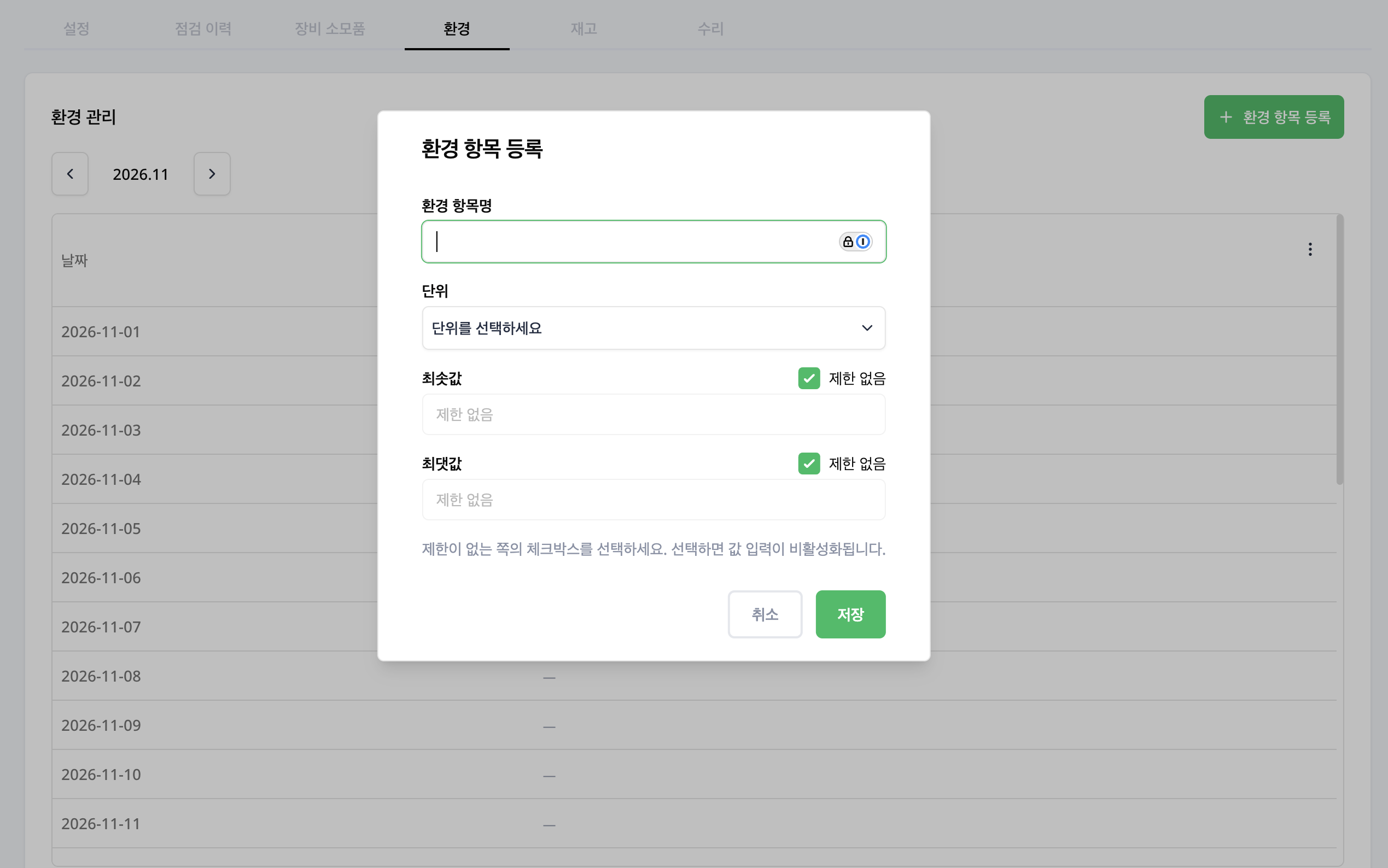
- Select Add environment metric.
- In Metric name, enter a specific name such as
Storage room temperature. - Select a Unit, or enter a custom unit if needed.
- Enter the Minimum and Maximum values. Select No limit for a boundary you do not need; the value input is then disabled.
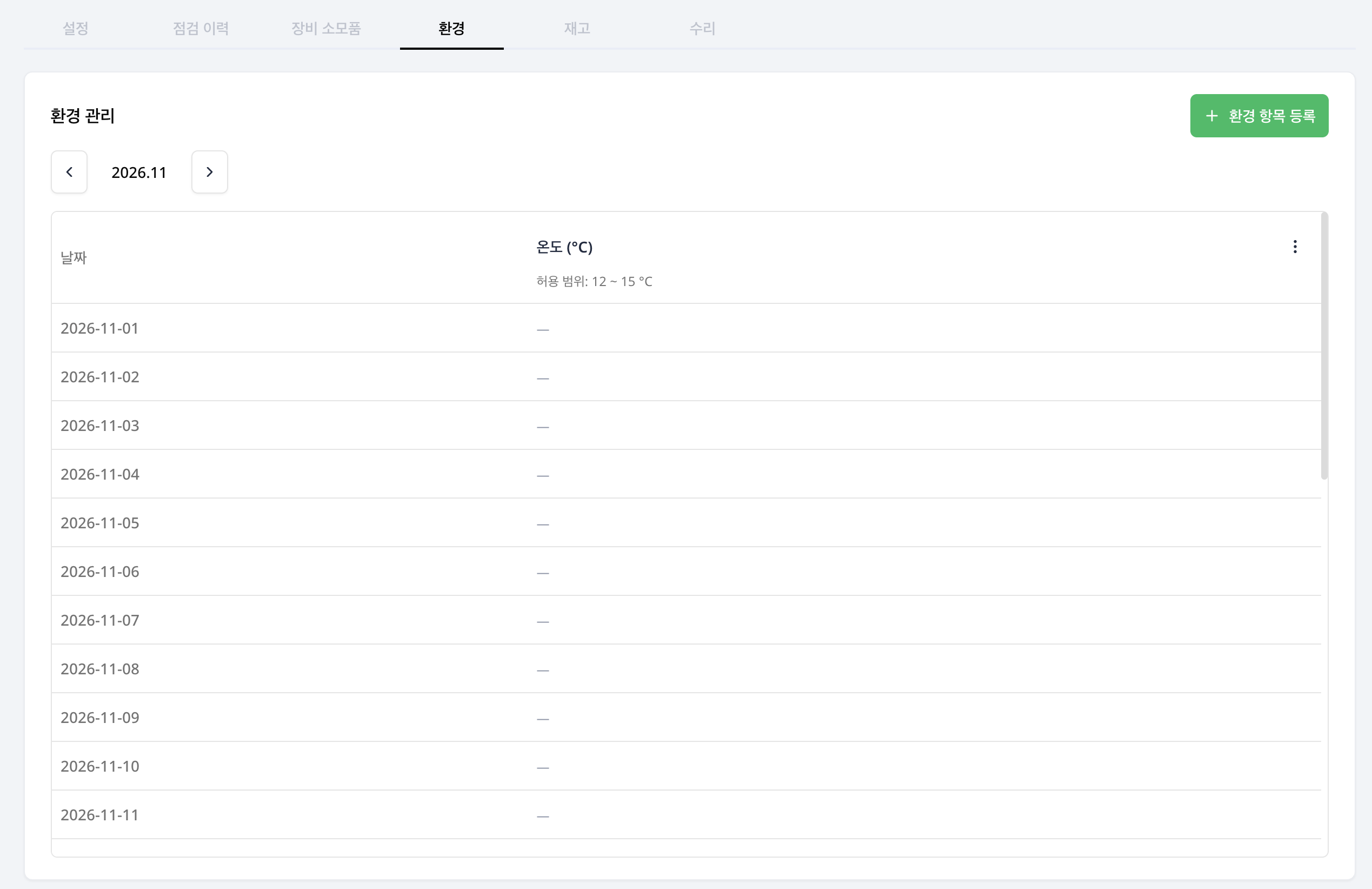
- Save and review the column heading and allowed range in the monthly records.
For a temperature range of 2–8°C, select °C and enter 2 as the minimum and 8 as the maximum.
Review monthly records
Select a month to review daily readings. Compare recorded values with the configured range. For out-of-range readings, check the measurement time and conditions on site.
Change an item
Use the management menu beside an item heading to edit or delete it. If the table is empty, check whether measurements exist for the selected month and items.