Organization and personal settings
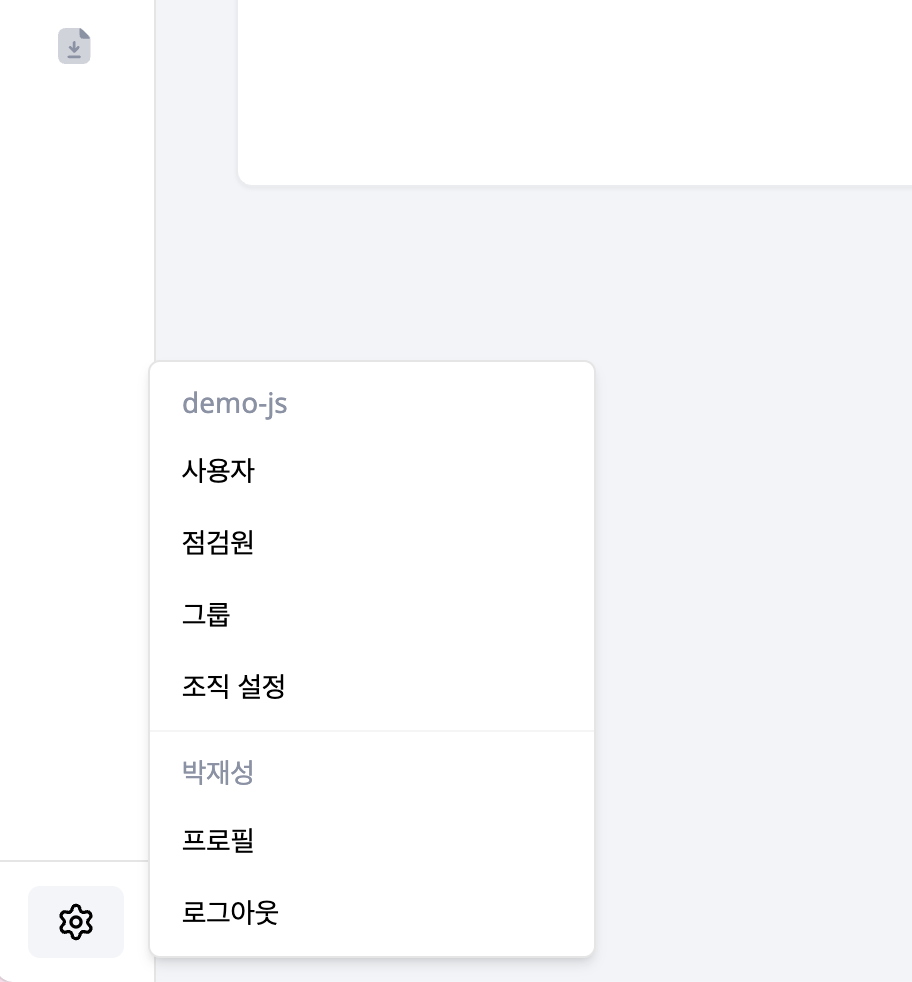
Organization settings and your profile are not in the left menu list. Select the gear icon at the very bottom of the sidebar to open the account menu, then choose the page.
| Setting | What to manage |
|---|---|
| Organization Settings | Name, logo, shared language/time zone and report photos |
| Shared account | Organization login for the inspector app |
| Profile | Contact details, notifications and personal language/time zone |
Organization settings require an administrator-grade account. Choose the organization defaults in your profile to follow its language and time zone.