
Dashboard
The dashboard gives administrators a quick view of inspection progress, issue handling, and field activity without opening each menu separately. Use it to check whether inspections are being completed on time, whether reported issues are being resolved, and whether operators or tools need attention.
What to review first
- Confirm whether inspections are being completed for the current period.
- Check whether issue intake and issue resolution are moving at a healthy pace.
- Identify operators with unusually low inspection participation.
- If your organization uses tools, confirm that tool usage matches field activity.
Inspection trend
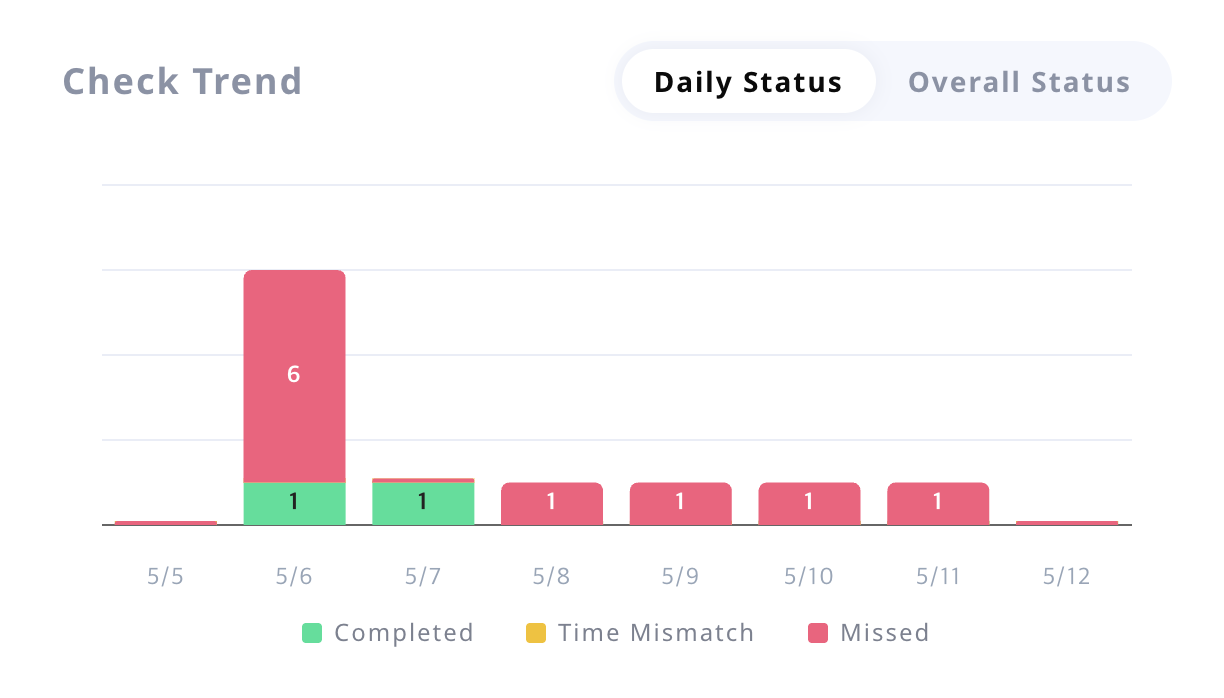
You can quickly see how inspection results are changing over time in a bar chart.
Completedshows inspections finished normally.Inspection time mismatchshows inspections recorded with a time gap that needs review.Not performedshows scheduled inspections that were missed.
If Not performed starts increasing, it is a sign to review schedules, checklist difficulty, or team coverage.
Issue trend
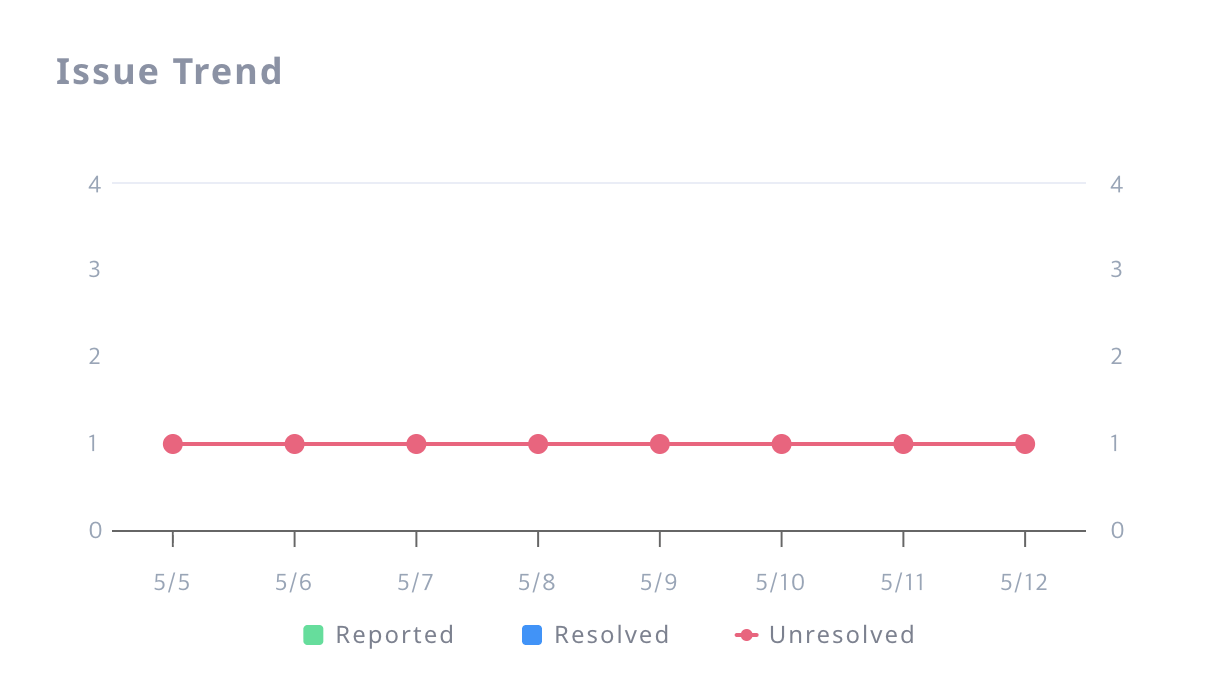
This trend helps you understand whether reported problems are being handled at a healthy pace.
Receivedshows how many issues were reported.Resolvedshows how many issues were closed.Accumulated unresolvedshows how many issues remain open over time.
If received issues keep rising while resolved issues stay flat, the team may need faster follow-up, clearer ownership, or additional staffing.
Inspector completion rate distribution
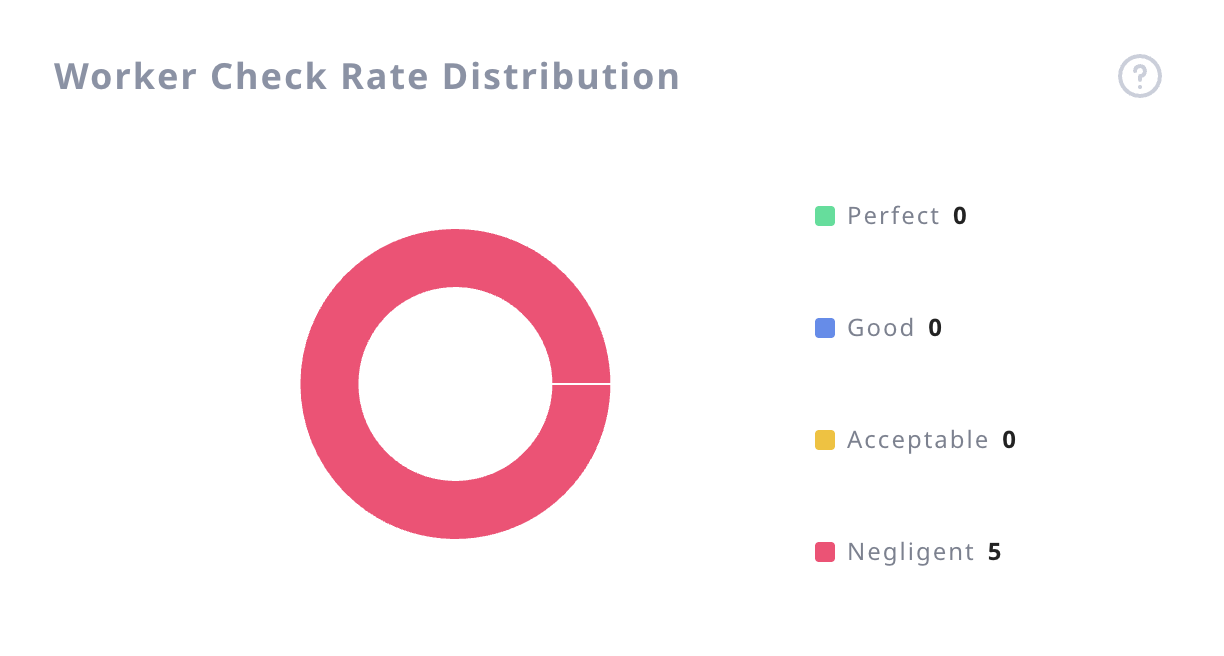
This view shows how well the full inspector group is completing assigned inspections. Rather than listing each person, it summarizes how the whole team is distributed by completion rate.
For example, you can see how many inspectors are at 100%, what percentage of the team is at 90% or higher, and how the rest of the team is spread across lower completion ranges.
This makes it easier to judge the team’s overall execution quality and decide whether workload balancing, schedule changes, or stronger follow-up is needed.
Tool usage status
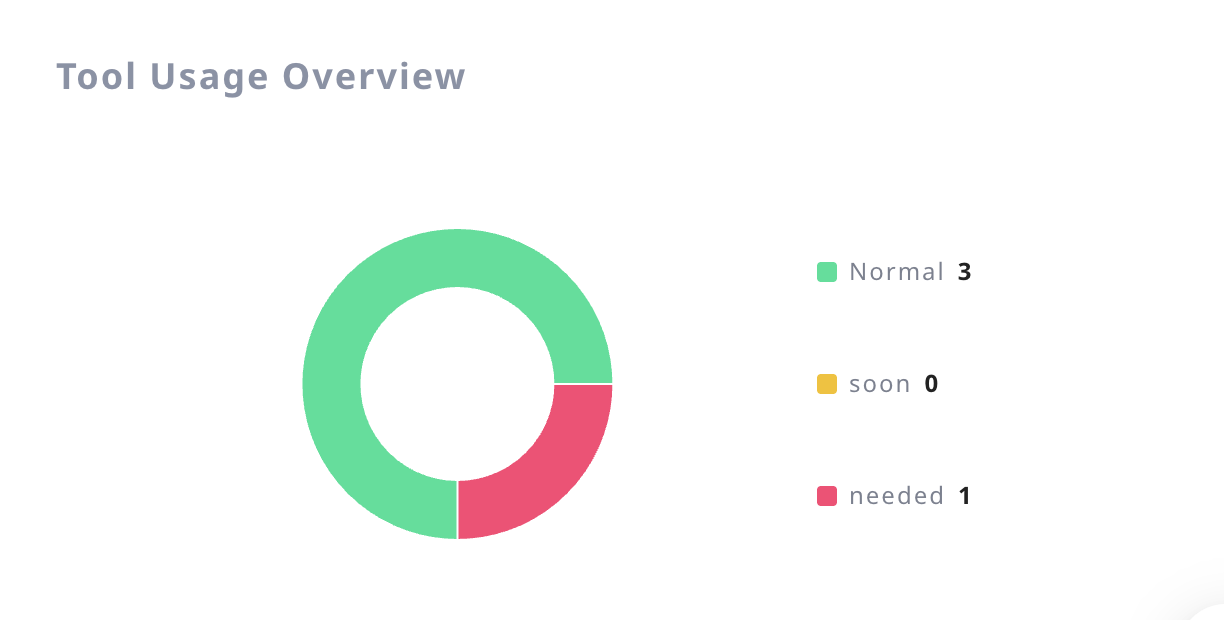
If your organization uses inspection tools, you can use this view to check whether those tools are actually being used in the field as expected.
It is useful for finding missing usage records, unusually low activity, or tools that may not be assigned correctly.
Related menus
- Need detailed inspection records: go to
Checks > Check History - Need to adjust recurring work: go to
Schedule - Need to follow up on reported problems: go to
Issues - Need to manage field tools: go to
Facility