
Equipment consumables
Track usage and replacement of consumables linked to a facility. Enable Equipment Consumable management in facility settings to show the Equipment Consumables tab.
Register a consumable
- Open Equipment Consumables in the facility details.
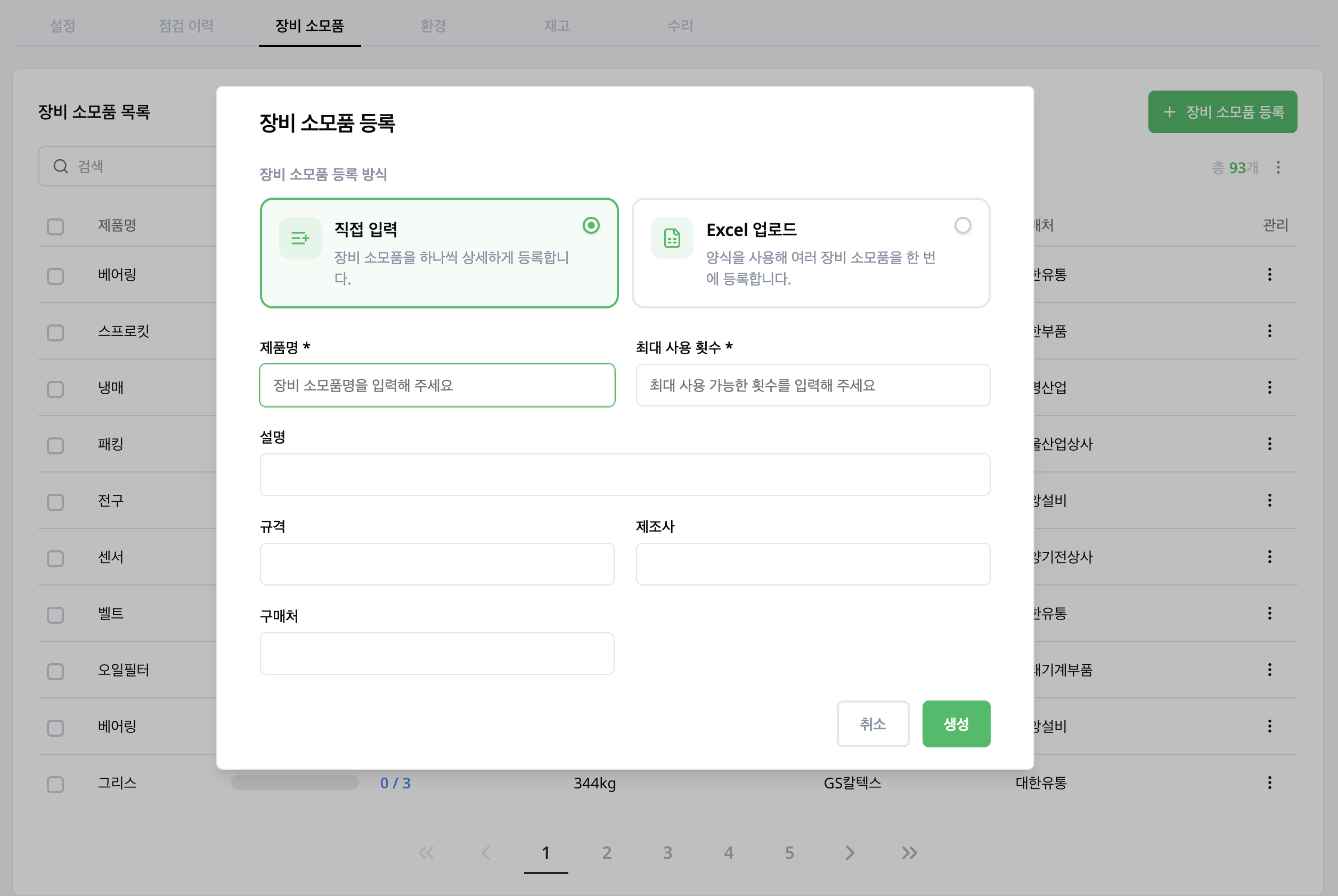
- Select Register Equipment Consumable.
- Choose how to register. Manual Entry adds one item at a time; Upload Excel registers several items at once from a template.
- For manual entry, enter the Name and Maximum usage limit (required), add the description, specification, manufacturer and supplier if needed, then select Create.
- Review usage and usage rate in the list.
Find replacement targets
Sort the facility's consumables by usage rate to find items approaching their replacement threshold. Search by name to find a specific item.
Review usage and replacements
Select a consumable in the list to open Equipment Consumable Details on the right. Compare the usage rate, Cumulative Usage, replacement count and Histories. After replacing it on site, select Replace and confirm the record.
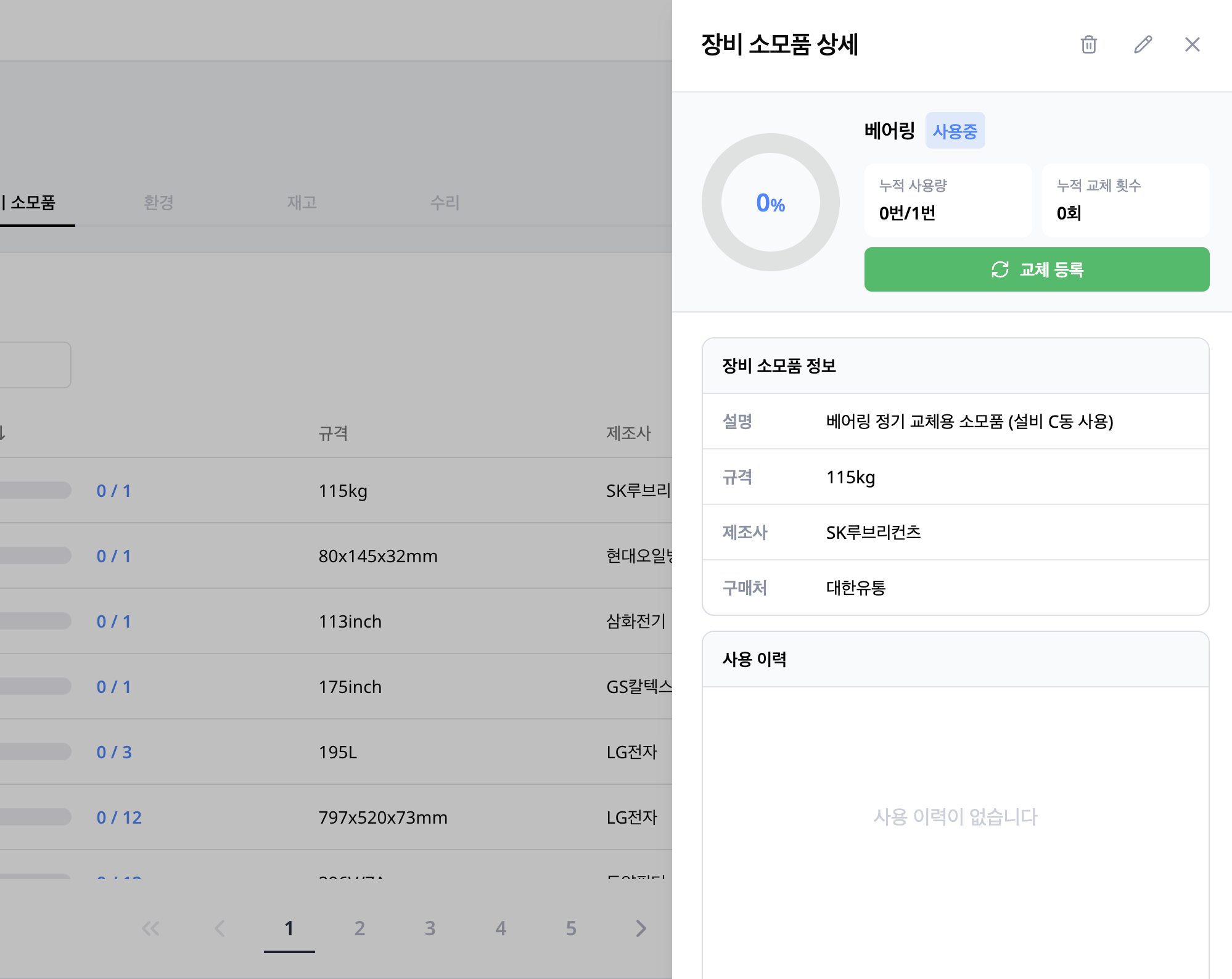
Administrators can edit product information and thresholds or delete items. If the Equipment Consumables tab is missing, check the facility's management options.