Profile
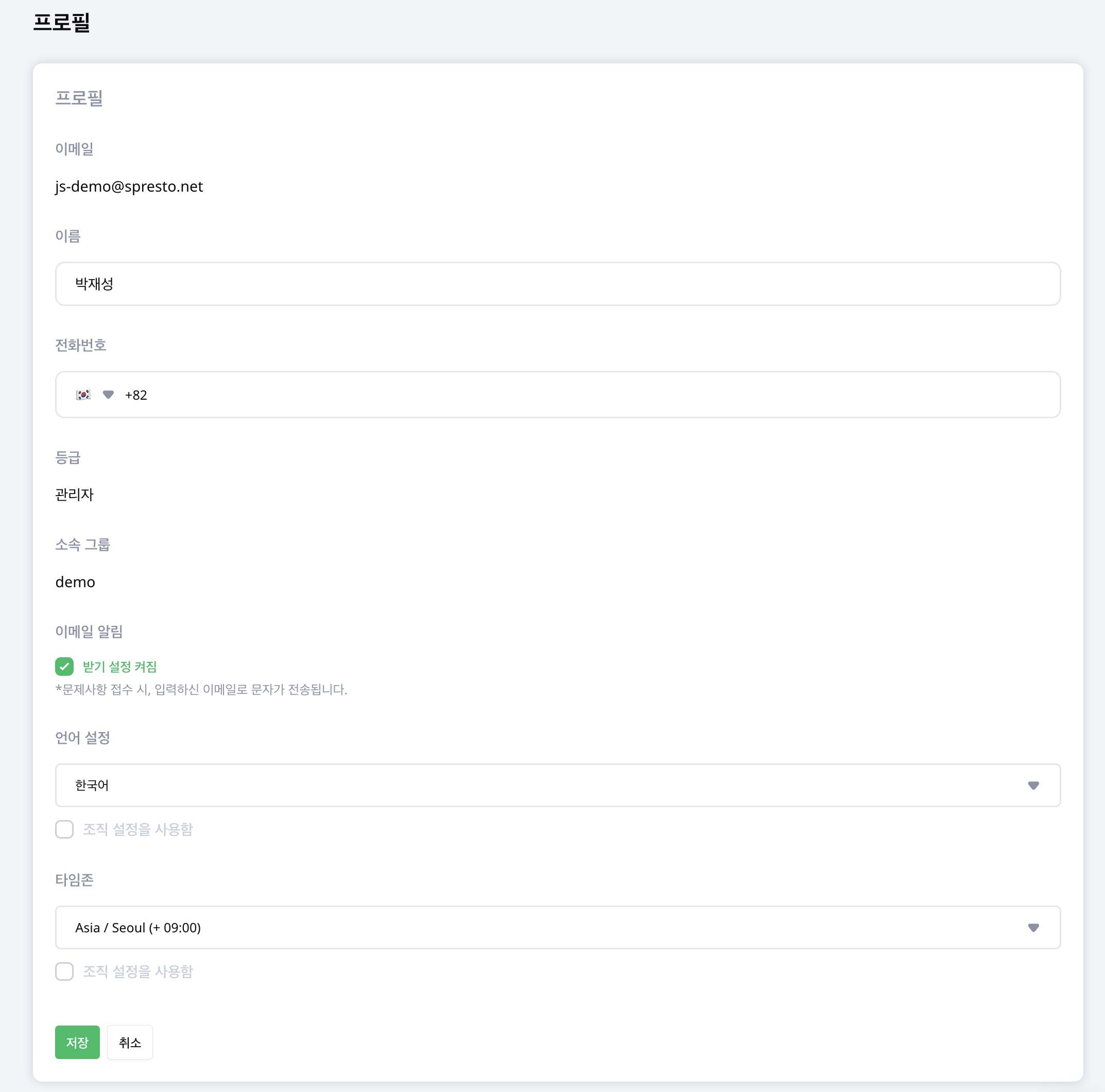
Manage contact information, email notifications, language and time zone. Open Account menu > Profile at the bottom of the left sidebar.
Edit personal information
Check your Name and Phone number, edit as needed and select Save. Review your Email, Grade and Group to confirm you are using the intended account.
Configure notifications and display preferences
- Under Email notifications, choose whether to receive them. When on, you receive an email when an issue is reported.
- Select your Language and Timezone, or select Use organization language and Use organization timezone.
- Save and review the applied language and time zone.
Organization defaults come from Organization Settings. When reviewing records from other regions, check whether your personal time zone differs from the organization default.
Ask an administrator to configure the shared account when the organization's app login needs changing.