
Users and groups
Prepare Admin users, field inspectors and groups for organizing people.
Where to find these pages
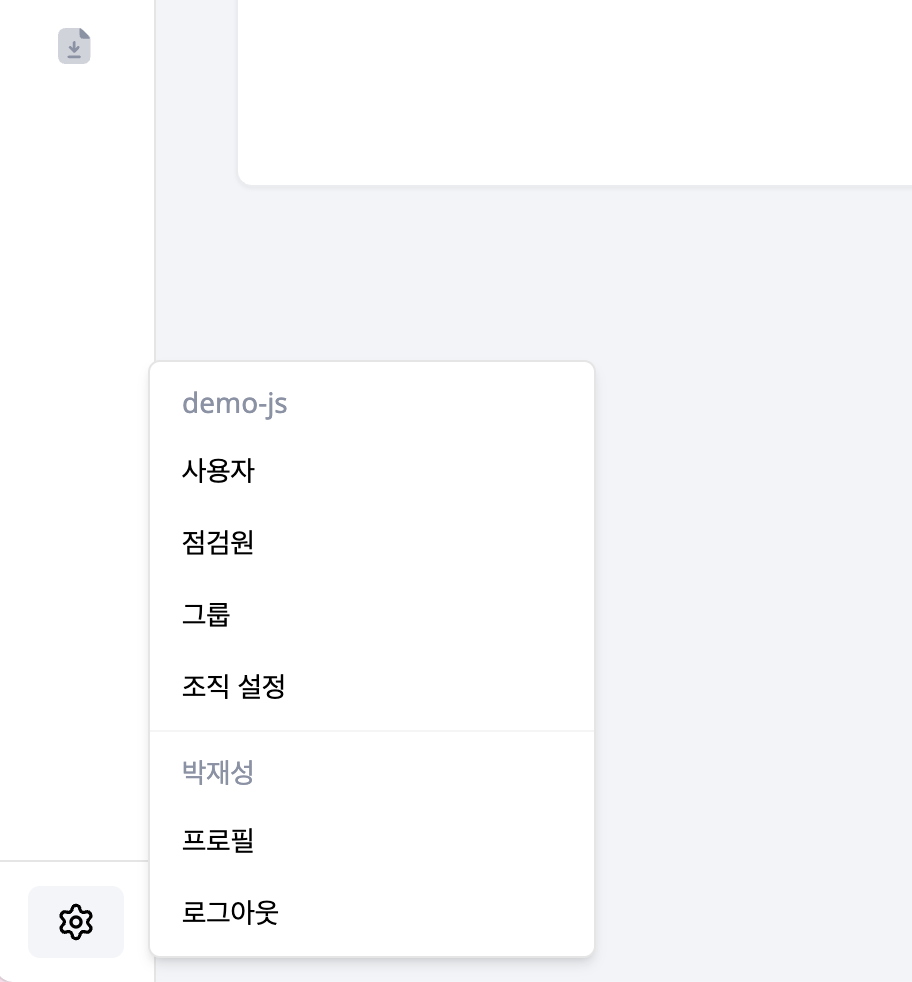
Users, inspectors and groups are not in the left menu list. Select the gear icon at the very bottom of the sidebar to open the account menu, then choose the page.
Guides by task
| Task | Guide |
|---|---|
| Invite and manage Admin users | Users |
| Register field workers | Inspectors |
| Organize people by responsibility | Groups |
| Compare and change group membership | Group matrix |
| Create or update users from a file | Bulk management |
Start by registering the people you need, then add groups to organize teams. Review group membership and schedule assignments separately.