Handle issues
Review problems reported in the field, record the assigned worker's resolution and the Compliance & SAPA assessment, then close the issue. Open Issues in the left menu.
Find an issue
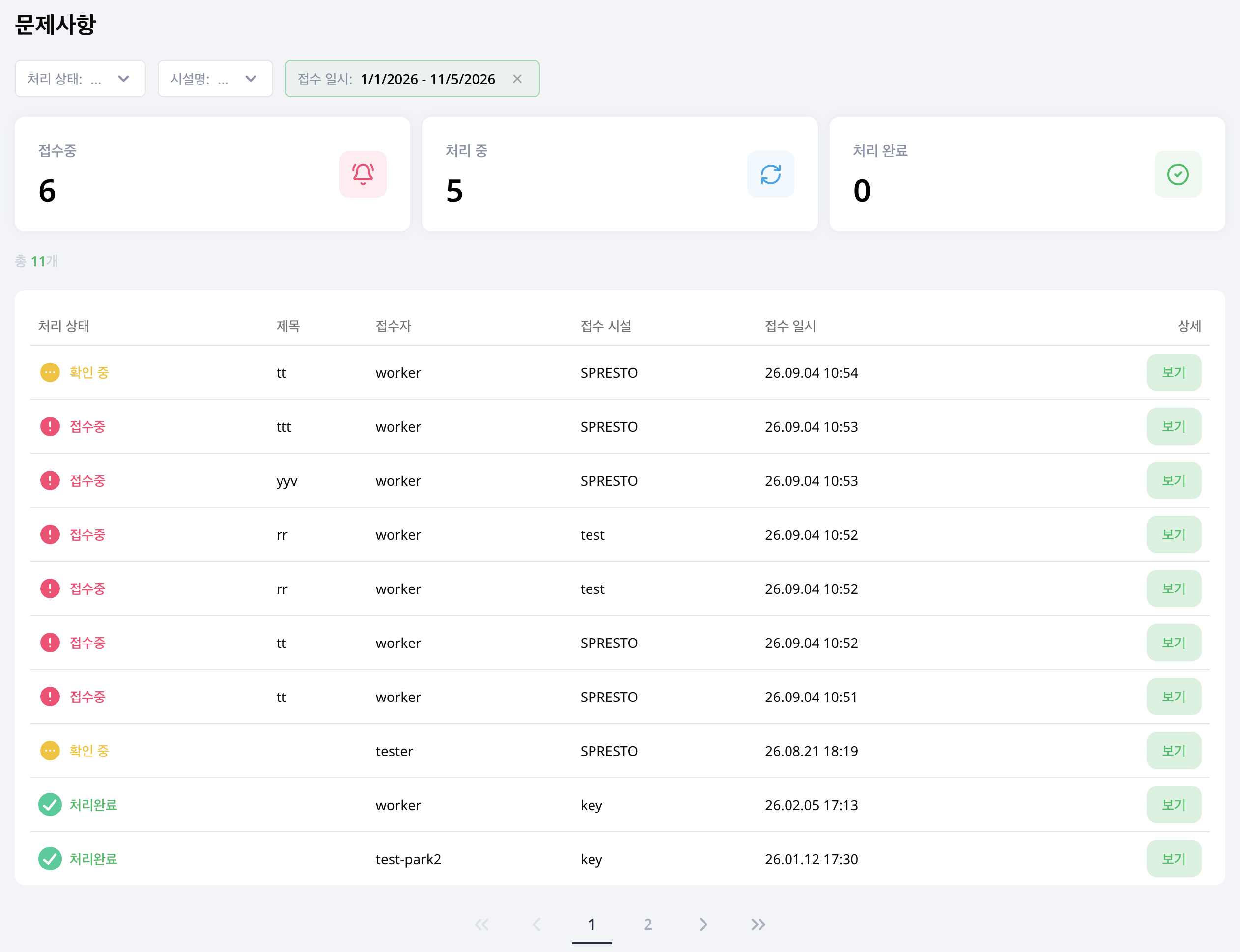
Filter by Status, Facility and Reporting Date, then select View for an issue. The default period is the last month. Expand the date range or select all dates to find older issues.
1. Review the report
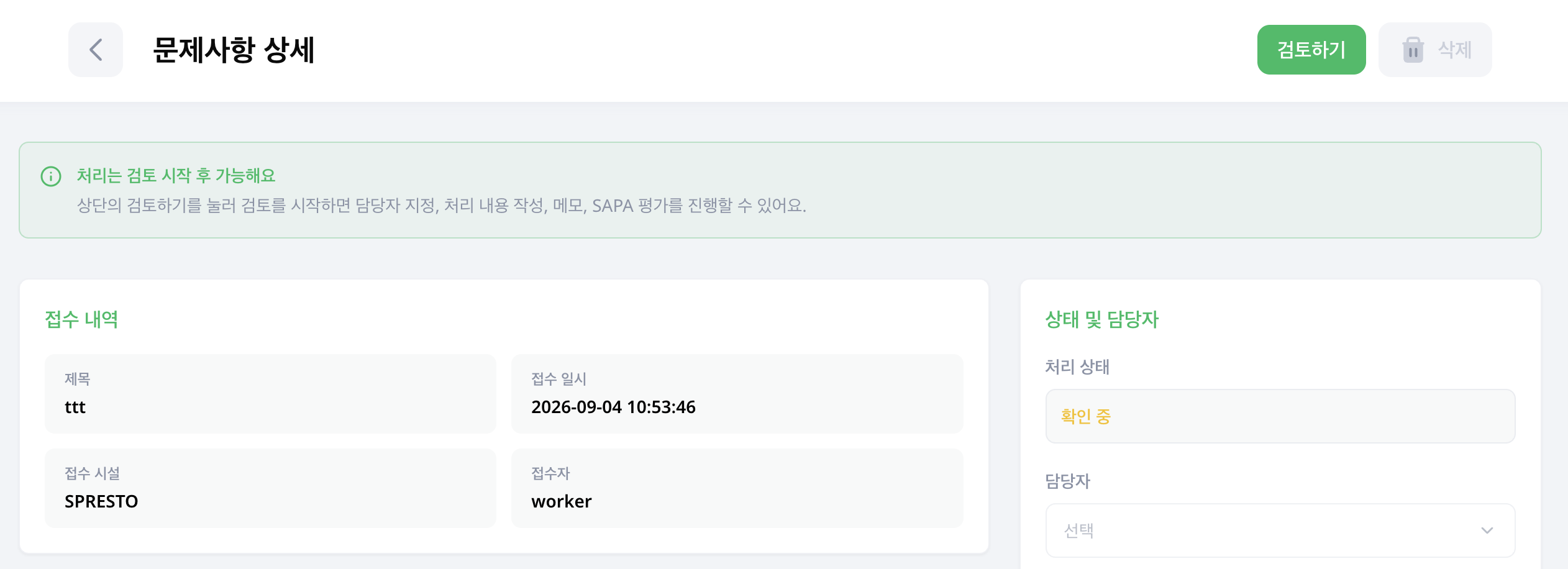
Check the facility, reporter, description and photos, then choose Start Review at the top. Assigning a worker, entering handling details, notes and the SAPA assessment become available after you start the review.
2. Manage assignment and resolution
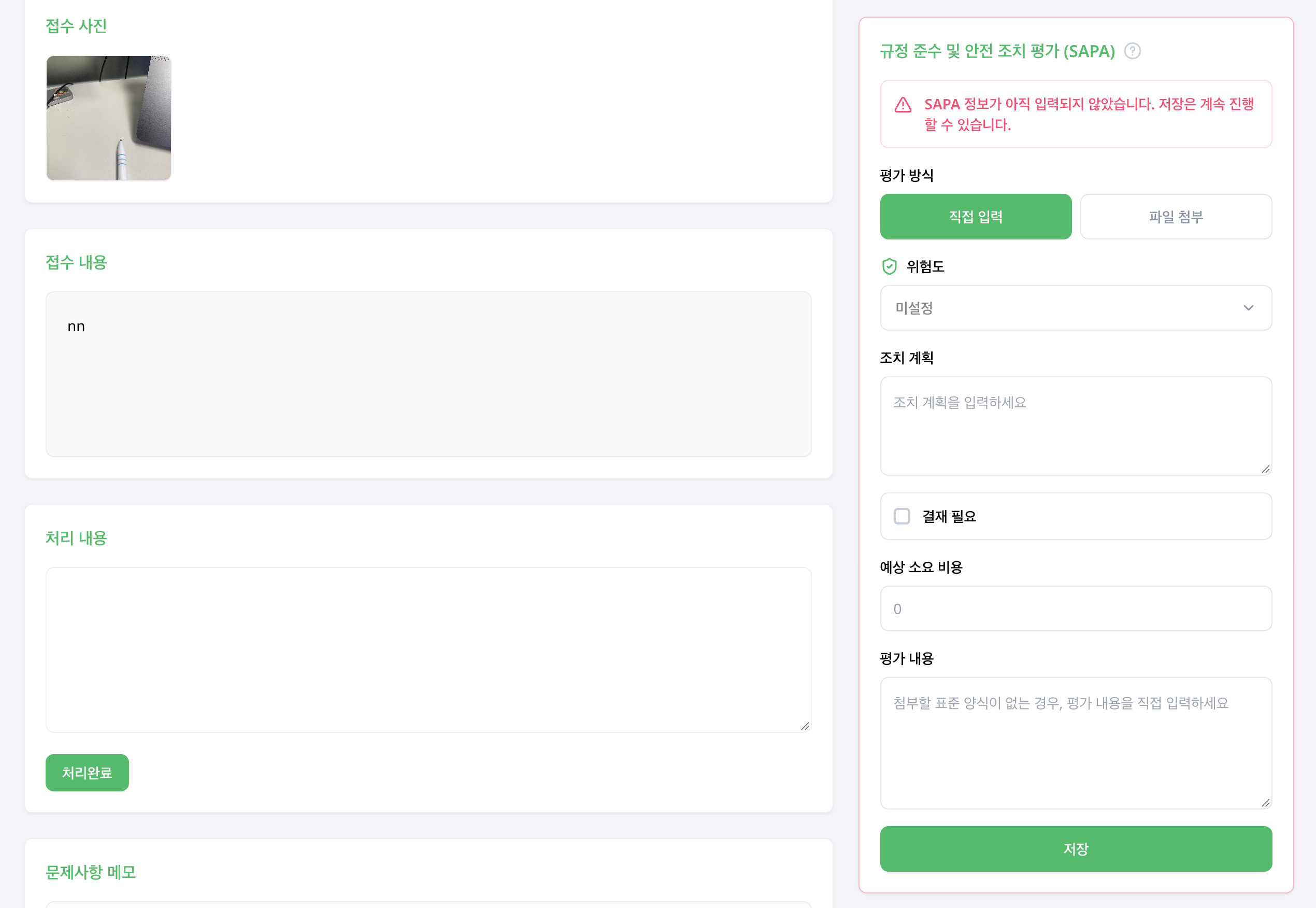
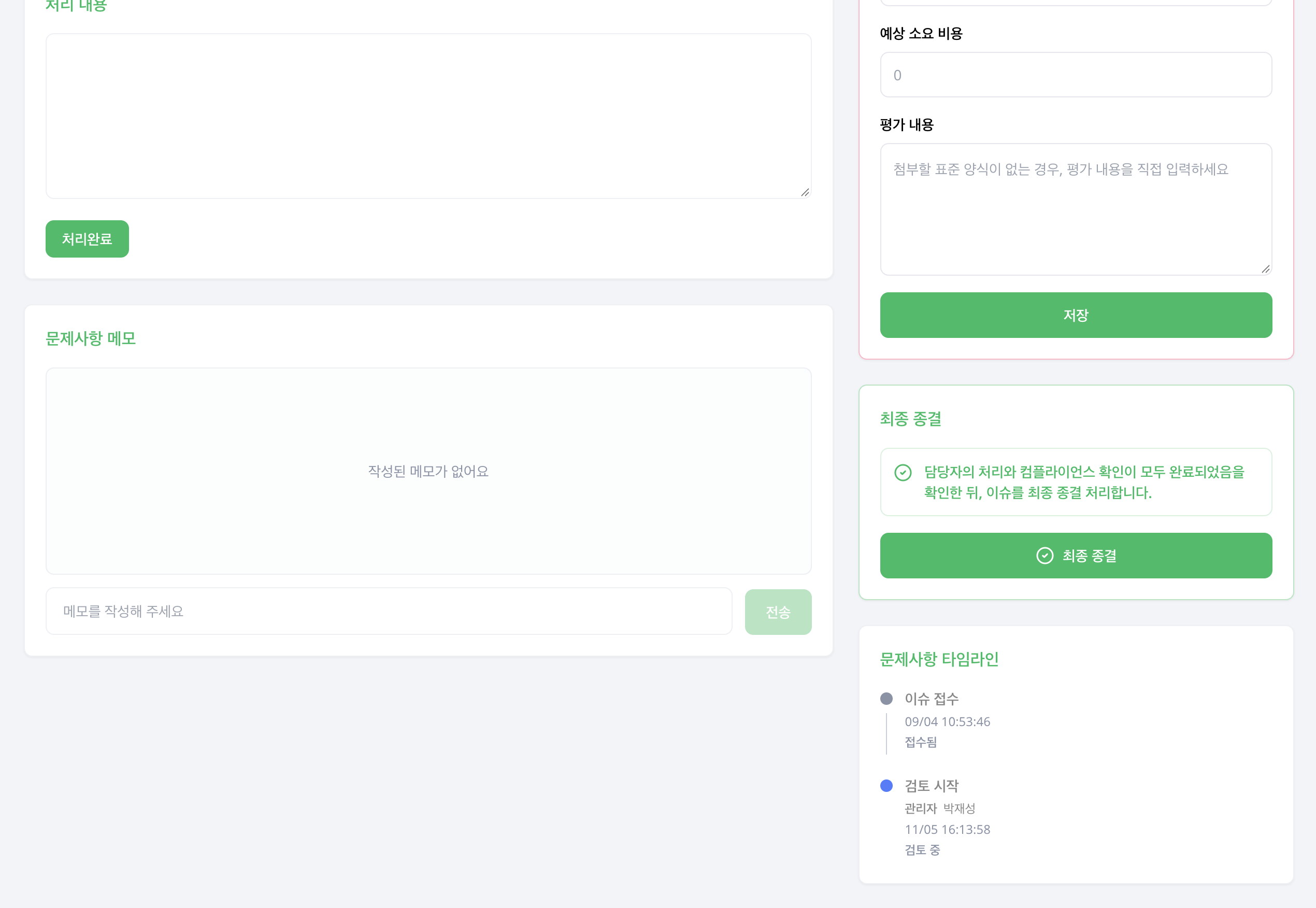
Assign a worker in Status & Assignee, enter the result in Handling Details, and select Resolved. Adding Notes makes it easier to see who did the work and what still needs checking.
After saving, use the Timeline on the right to review the sequence of decisions and changes.
3. Record the Compliance & SAPA assessment
In Assessment Method, choose Manual Entry and record the Risk Level, Action Plan and Assessment Details. If approval is needed, select Approval Required and enter the Estimated Budget Amount.
You can save without SAPA information, but the panel shows a reminder that it has not been entered. Check your entries and select Save.
4. Close the issue
Review the resolution and assessment, then choose Close Issue in the Final Closure panel. Saving resolution details and closing an issue are separate actions.
Editing is restricted after closure. To make corrections or follow up, choose Cancel Closure, confirm the action and then edit the issue.
For approval and completion review of facility repair jobs, see Repairs.